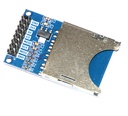
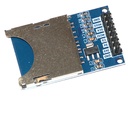
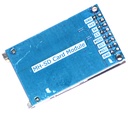
SD Card Module
Varenummer:
129-706
Varekode: ARDU0008
Vægt: 22 g
49 stk.
på lager
Bestil nu for afsendelse mandag d. 23/11
Details
| Quantity | 1 |
| Material | PCB |
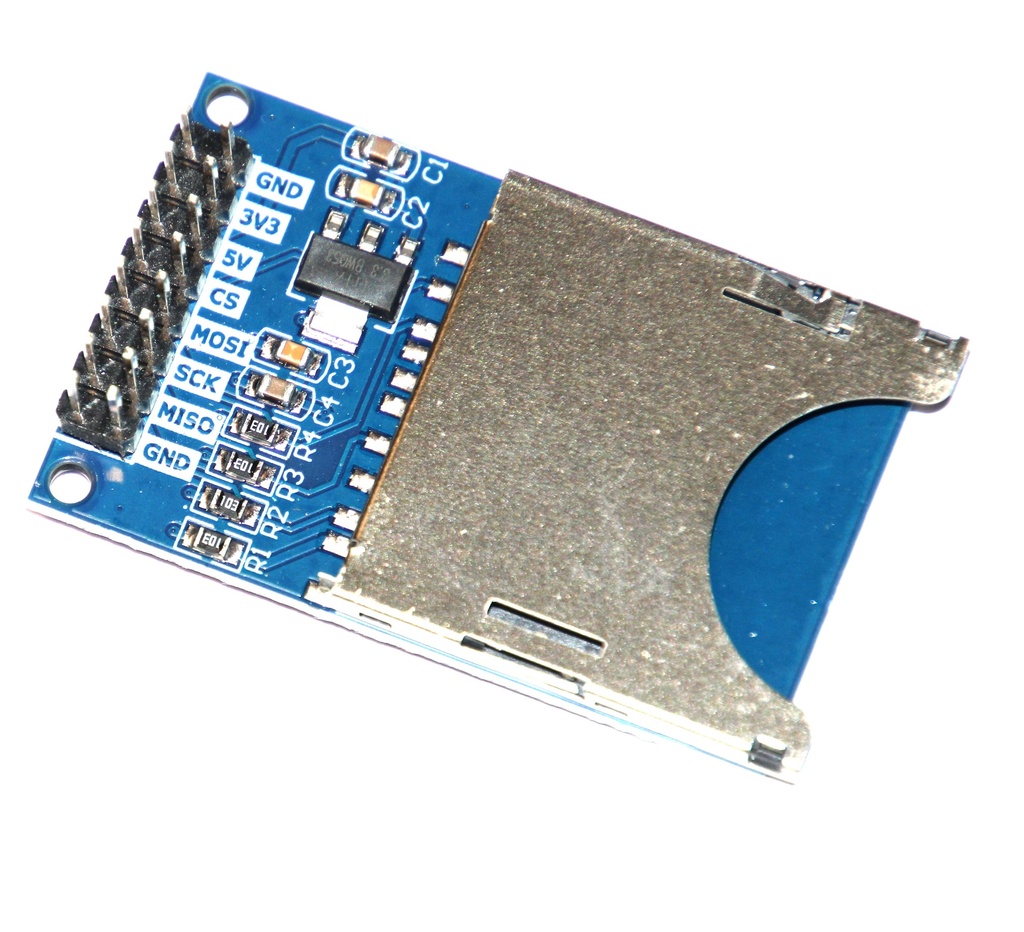
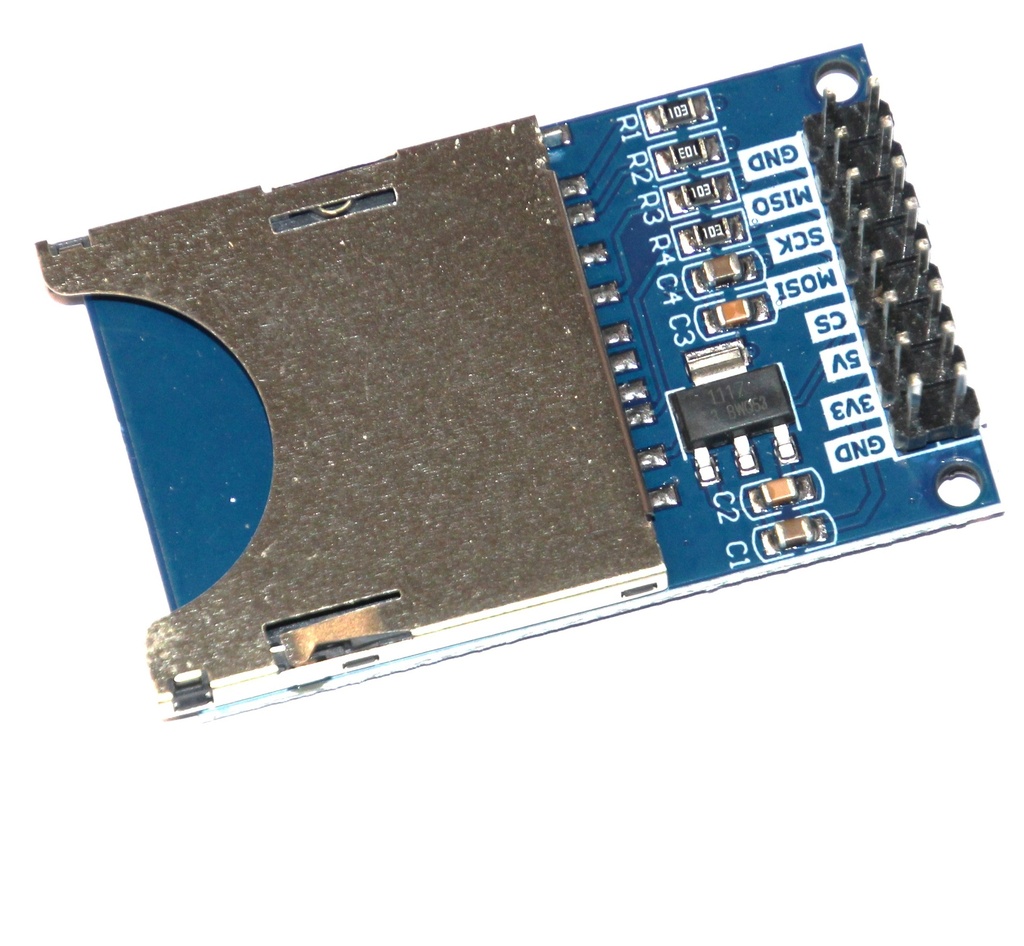
| Features | Allows reading and writing to an SD card from an arduino |
| Application | Data logging, data storage |
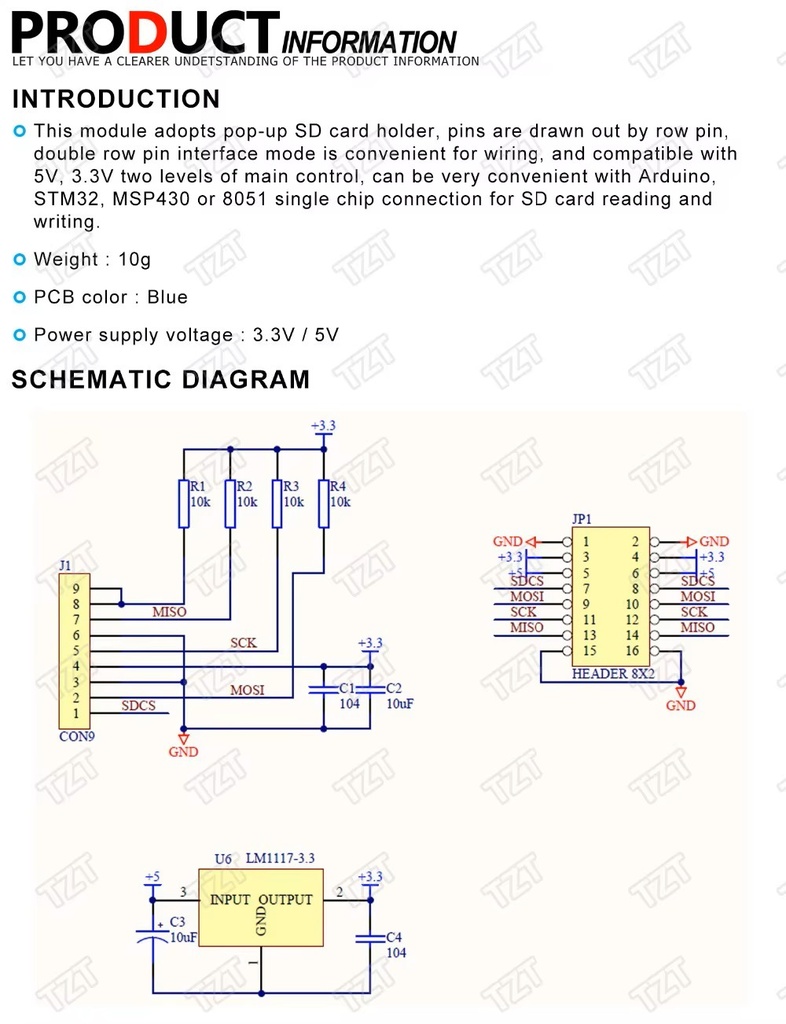
PLEASE NOTE that when used with 5V TTL an additional level shifter may be required to covert from 5V to 3.3V TTL levels.
Standard SD-cards use 3.3 V logic levels !
For card-reader with on-board level-shifter, see: MODU0044
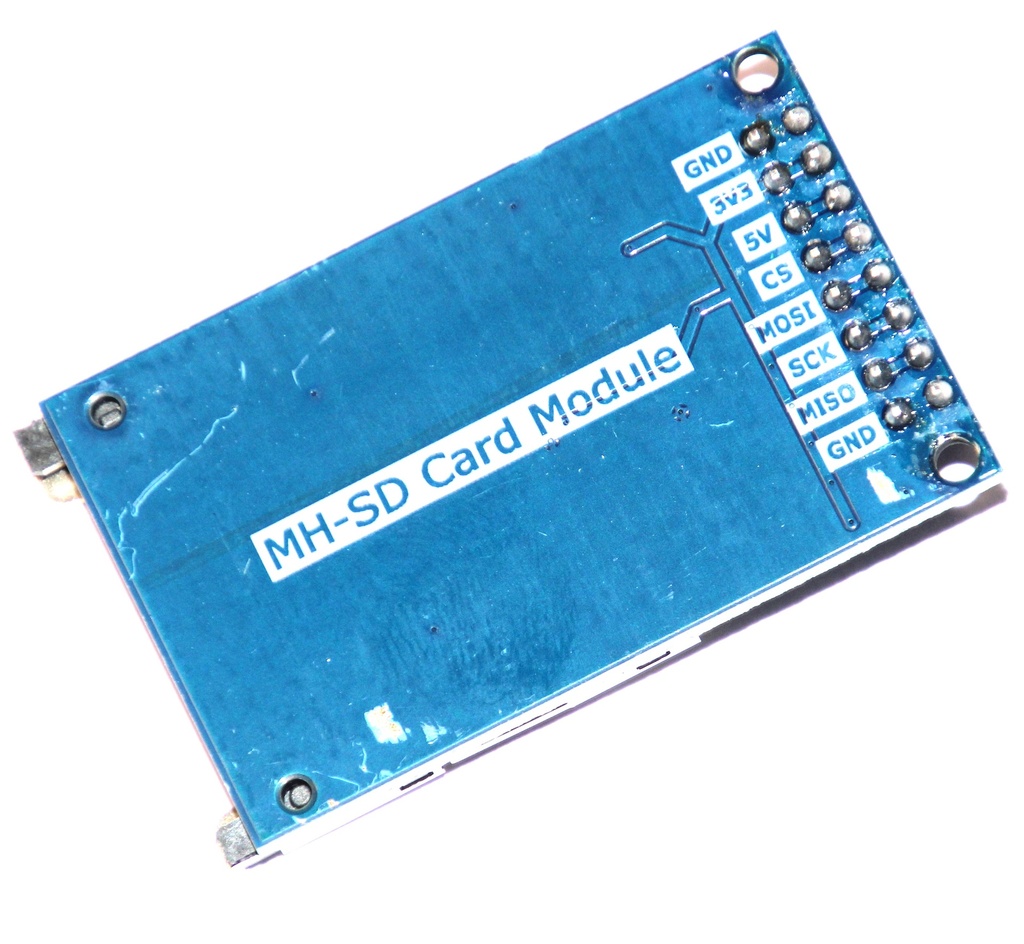
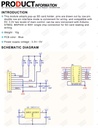
| PINOUT | |
|---|---|
| PIN | DESCRIPTION |
| 1 | GND |
| 2 | +3.3V |
| 3 | +5V |
| 4 | CS |
| 5 | MOSI |
| 6 | SCK |
| 7 | MISO |
| 8 | GND |
EXAMPLE CODE
ARD_SD_CARD_MODULE_HCARDU0008_Write_Example.pde
/* FILE:    ARD_SD_CARD_MODULE_HCARDU0008_Write_Example.pde    DATE:    09/07/12    VERSION: 0.1
 This is an example of how to use the HobbyComponents SD card reader module  (HCARDU0008). This module allows reading and writing of data to a standard  SD card and is useful for applications such as data loggers where a large  amount of data needs to be stored. The module works with the standard  Arduino SD card library.
 This example program will create a test file on the SD card called test.txt If the file already exists it will first delete it and then create a new  one.
 MODULE PINOUT:
 PIN 1: GND    --->  Arduino GND PIN 2: +3.3V  --->  Arduino 3V PIN 3: +5V    --->  Arduino 5V PIN 4: CS     --->  Arduino DIO 4 PIN 5: MOSI   --->  Arduino DIO 11 PIN 6: SCLK   --->  Arduino DIO 13 PIN 7: MISO   --->  Arduino DIO 12 PIN 8: GND    --->  N/A
 You may copy, alter and reuse this code in any way you like but please leave  reference to HobbyComponents.com in your comments if you redistribute this code. */
 /* Include the standard SD card library */
#include <SD.h>

#define SD_CARD_CD_DIO 4 /* DIO pin used to control the modules CS pin */
 File SDFileData;
 /* Initialise serial and DIO */ void setup()
{
  Serial.begin(9600);
  /* DIO pin used for the CS function. Note that even if you are not driving this      function from your Arduino board, you must still configure this as an output       otherwise the SD library functions will not work. */
  pinMode(10, OUTPUT);
}
 /* Main program loop */ void loop()
{

  /* Initiliase the SD card */
  if (!SD.begin(SD_CARD_CD_DIO))
  {
    /* If there was an error output this to the serial port and go no further */
    Serial.println("ERROR: SD card failed to initiliase");
    while(1);
  }else
  {
    Serial.println("SD Card OK");
  }


   /* Check if the text file already exists */
   while(SD.exists("test.txt"))
   {
     /* If so then delete it */
     Serial.println("test.txt already exists...DELETING");
     SD.remove("test.txt");
   }

  /* Create a new text file on the SD card */
  Serial.println("Creating test.txt");
  SDFileData = SD.open("test.txt", FILE_WRITE);

  /* If the file was created ok then add come content */
  if (SDFileData)
  {
    SDFileData.println("It worked !!!");

    /* Close the file */
    SDFileData.close();

    Serial.println("done.");
  }else
  {
      Serial.println("Error writing to file !");
  }

  /* Do nothing */
  while (1);
}
ARD_SD_CARD_MODULE_HCARDU0008_Read_Example.pde
/* FILE:    ARD_SD_CARD_MODULE_HCARDU0008_Read_Example.pde    DATE:    09/07/12    VERSION: 0.1
 This is an example of how to use the HobbyComponents SD card reader module  (HCARDU0008). This module allows reading and writing of data to a standard  SD card and is useful for applications such as data loggers where a large  amount of data needs to be stored. The module works with the standard  Arduino SD card library.
 This example program will attempt to read a text file named text.txt and  output its contents to the serial port.
 MODULE PINOUT:
 PIN 1: GND    --->  Arduino GND PIN 2: +3.3V  --->  Arduino 3V PIN 3: +5V    --->  Arduino 5V PIN 4: CS     --->  Arduino DIO 4 PIN 5: MOSI   --->  Arduino DIO 11 PIN 6: SCLK   --->  Arduino DIO 13 PIN 7: MISO   --->  Arduino DIO 12 PIN 8: GND    --->  N/A
 You may copy, alter and reuse this code in any way you like but please leave  reference to HobbyComponents.com in your comments if you redistribute this code. */
 /* Include the standard SD card library */
#include <SD.h>

#define SD_CARD_CD_DIO 4 /* DIO pin used to control the modules CS pin */
 File SDFileData;
 /* Initialise serial and DIO */ void setup()
{
  Serial.begin(9600);
  /* DIO pin uesd for the CS function. Note that even if you are not driving this      function from your Arduino board, you must still configure this as an output       otherwise the SD library functions will not work. */
  pinMode(10, OUTPUT);
}
 /* Main program loop */ void loop()
{

  /* Initiliase the SD card */
  if (!SD.begin(SD_CARD_CD_DIO))
  {
    /* If there was an error output this to the serial port and go no further */
    Serial.println("ERROR: SD card failed to initiliase");
    while(1);
  }else
  {
    Serial.println("SD Card OK");
  }


   /* Check if the text file exists */
   if(SD.exists("test.txt"))
   {
     Serial.println("test.txt exists, attempting to read file...");

     /* The file exists so open it */
     SDFileData = SD.open("test.txt");

     /* Sequentially read the data from the file and output it's         contents to the UART */
     while (SDFileData.available())
     {
       Serial.write(SDFileData.read());
     }

     /* Close the file */
     SDFileData.close();
   }


  /* Do nothing */
  while (1);
}
SD Card Module
129-706
/ ARDU0008
49 stk.
på lager
Bestil nu for afsendelse mandag d. 23/11
Kontakt os for at få oplyst leveringstid
Details
| Quantity | 1 |
| Material | PCB |
| Features | Allows reading and writing to an SD card from an arduino |
| Application | Data logging, data storage |
PLEASE NOTE that when used with 5V TTL an additional level shifter may be required to covert from 5V to 3.3V TTL levels.
Standard SD-cards use 3.3 V logic levels !
For card-reader with on-board level-shifter, see: MODU0044
| PINOUT | |
|---|---|
| PIN | DESCRIPTION |
| 1 | GND |
| 2 | +3.3V |
| 3 | +5V |
| 4 | CS |
| 5 | MOSI |
| 6 | SCK |
| 7 | MISO |
| 8 | GND |
EXAMPLE CODE
ARD_SD_CARD_MODULE_HCARDU0008_Write_Example.pde
/* FILE:    ARD_SD_CARD_MODULE_HCARDU0008_Write_Example.pde    DATE:    09/07/12    VERSION: 0.1
 This is an example of how to use the HobbyComponents SD card reader module  (HCARDU0008). This module allows reading and writing of data to a standard  SD card and is useful for applications such as data loggers where a large  amount of data needs to be stored. The module works with the standard  Arduino SD card library.
 This example program will create a test file on the SD card called test.txt If the file already exists it will first delete it and then create a new  one.
 MODULE PINOUT:
 PIN 1: GND    --->  Arduino GND PIN 2: +3.3V  --->  Arduino 3V PIN 3: +5V    --->  Arduino 5V PIN 4: CS     --->  Arduino DIO 4 PIN 5: MOSI   --->  Arduino DIO 11 PIN 6: SCLK   --->  Arduino DIO 13 PIN 7: MISO   --->  Arduino DIO 12 PIN 8: GND    --->  N/A
 You may copy, alter and reuse this code in any way you like but please leave  reference to HobbyComponents.com in your comments if you redistribute this code. */
 /* Include the standard SD card library */
#include <SD.h>

#define SD_CARD_CD_DIO 4 /* DIO pin used to control the modules CS pin */
 File SDFileData;
 /* Initialise serial and DIO */ void setup()
{
  Serial.begin(9600);
  /* DIO pin used for the CS function. Note that even if you are not driving this      function from your Arduino board, you must still configure this as an output       otherwise the SD library functions will not work. */
  pinMode(10, OUTPUT);
}
 /* Main program loop */ void loop()
{

  /* Initiliase the SD card */
  if (!SD.begin(SD_CARD_CD_DIO))
  {
    /* If there was an error output this to the serial port and go no further */
    Serial.println("ERROR: SD card failed to initiliase");
    while(1);
  }else
  {
    Serial.println("SD Card OK");
  }


   /* Check if the text file already exists */
   while(SD.exists("test.txt"))
   {
     /* If so then delete it */
     Serial.println("test.txt already exists...DELETING");
     SD.remove("test.txt");
   }

  /* Create a new text file on the SD card */
  Serial.println("Creating test.txt");
  SDFileData = SD.open("test.txt", FILE_WRITE);

  /* If the file was created ok then add come content */
  if (SDFileData)
  {
    SDFileData.println("It worked !!!");

    /* Close the file */
    SDFileData.close();

    Serial.println("done.");
  }else
  {
      Serial.println("Error writing to file !");
  }

  /* Do nothing */
  while (1);
}
ARD_SD_CARD_MODULE_HCARDU0008_Read_Example.pde
/* FILE:    ARD_SD_CARD_MODULE_HCARDU0008_Read_Example.pde    DATE:    09/07/12    VERSION: 0.1
 This is an example of how to use the HobbyComponents SD card reader module  (HCARDU0008). This module allows reading and writing of data to a standard  SD card and is useful for applications such as data loggers where a large  amount of data needs to be stored. The module works with the standard  Arduino SD card library.
 This example program will attempt to read a text file named text.txt and  output its contents to the serial port.
 MODULE PINOUT:
 PIN 1: GND    --->  Arduino GND PIN 2: +3.3V  --->  Arduino 3V PIN 3: +5V    --->  Arduino 5V PIN 4: CS     --->  Arduino DIO 4 PIN 5: MOSI   --->  Arduino DIO 11 PIN 6: SCLK   --->  Arduino DIO 13 PIN 7: MISO   --->  Arduino DIO 12 PIN 8: GND    --->  N/A
 You may copy, alter and reuse this code in any way you like but please leave  reference to HobbyComponents.com in your comments if you redistribute this code. */
 /* Include the standard SD card library */
#include <SD.h>

#define SD_CARD_CD_DIO 4 /* DIO pin used to control the modules CS pin */
 File SDFileData;
 /* Initialise serial and DIO */ void setup()
{
  Serial.begin(9600);
  /* DIO pin uesd for the CS function. Note that even if you are not driving this      function from your Arduino board, you must still configure this as an output       otherwise the SD library functions will not work. */
  pinMode(10, OUTPUT);
}
 /* Main program loop */ void loop()
{

  /* Initiliase the SD card */
  if (!SD.begin(SD_CARD_CD_DIO))
  {
    /* If there was an error output this to the serial port and go no further */
    Serial.println("ERROR: SD card failed to initiliase");
    while(1);
  }else
  {
    Serial.println("SD Card OK");
  }


   /* Check if the text file exists */
   if(SD.exists("test.txt"))
   {
     Serial.println("test.txt exists, attempting to read file...");

     /* The file exists so open it */
     SDFileData = SD.open("test.txt");

     /* Sequentially read the data from the file and output it's         contents to the UART */
     while (SDFileData.available())
     {
       Serial.write(SDFileData.read());
     }

     /* Close the file */
     SDFileData.close();
   }


  /* Do nothing */
  while (1);
}